
Africa Web Viewer Changes - FAQs
Here are a collection of FAQ's about the changes taking place to the Africa Web Viewer
What is happening to Africa Web Viewer?
The Africa Web Viewer web-app will be moving to a new platform on 11 February 2026, from this date, Africa Web Viewer will be available at https://africawebviewer.metoffice.gov.uk
What will be changing?
There will be very few noticeable changes to the service — the tool will look the same and provide the same data as the current site. Minor updates have been made to the Terms and Conditions and Useful Links pages to bring them up to date.
Saved regions will need to be recreated. Unfortunately, any saved regions you have created will be lost during the move. You will need to recreate these once the new service is live and then they will be saved locally on that device. If you logon to the service on a different device, you will need to create the saved regions again.
What do I need to do?
As part of this change you will need to create a new account to access the service.
To gain access to the new platform please use the following link: https://africawebviewer.metoffice.gov.uk
We recommend bookmarking this URL. If you use the old web address on or after the 16 February 2026 you will be automatically directed to the new address and requested to create a new account.
How do I set up a new account?
When logging onto Africa Web Viewer, please click ‘Create a Met Office account’ which will take you to the registration page.
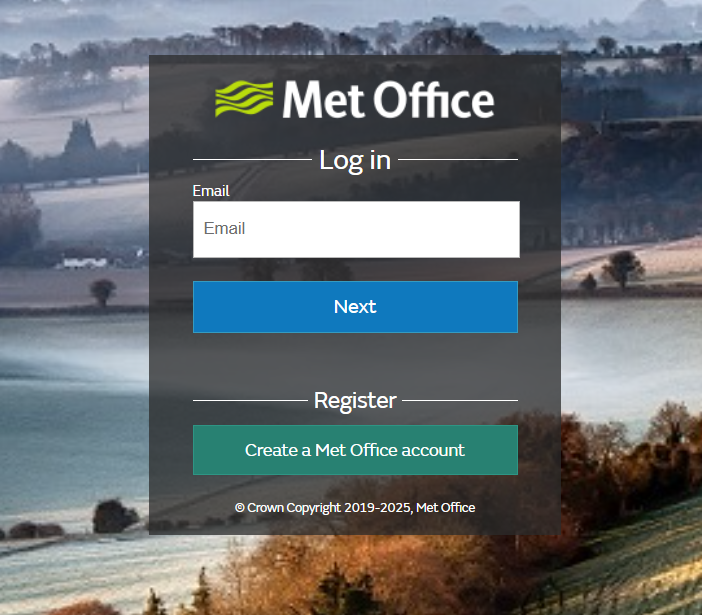
Enter your email address and click ‘Next’. A verification code will be sent to the email address you use to sign up. If you have not received the verification code, please check your spam or junk folder to see if the message has been filtered by your email provider. Follow the on-screen steps to complete your account set-up. We recommend registering with an email address linked to your organisation, if you have one
The verification email will come from Microsoft on behalf of the Met Office from this address:
'msonlineservicesteam@microsoftonline.com'
The subject line will be ‘Met Office Services account email verification code’, there will be a short number code which you will use to verify your email address.
This verification process only happens once when you create the account. The next time you log in you will only need your email and password.
As part of the sign-up process you will need to select the ‘Africa Web Viewer service.’
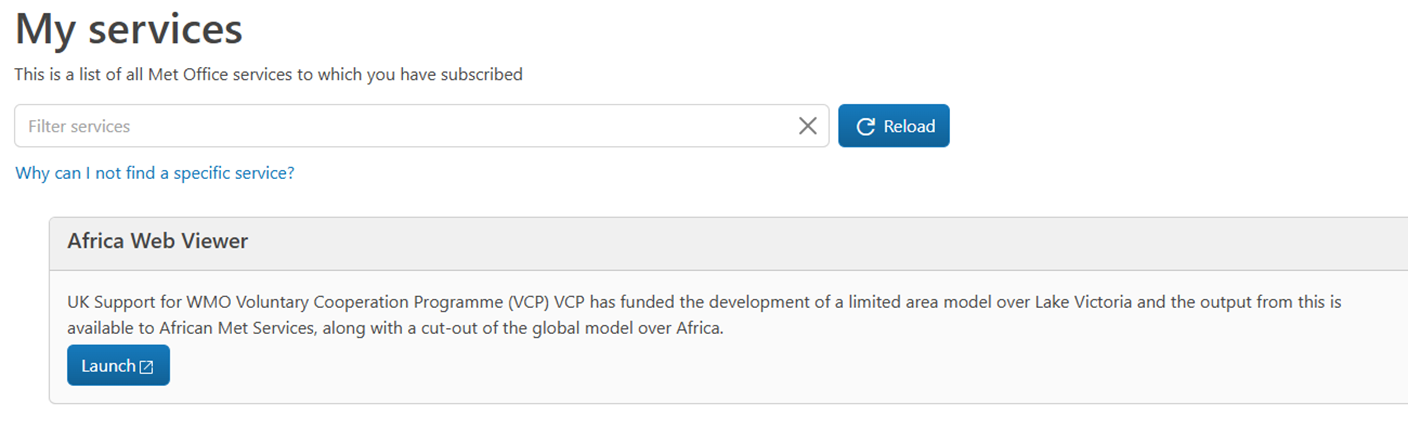
After you have selected the service click on ‘launch.’
When you have finished working in Africa Web Viewer, we recommend that you log out and, close your browser.
Your old account will become inactive after the move. You will not need to take any action to remove your old account as this will be deleted when the change happens.
Saved Regions
Saved regions will not be saved when you use a browser in 'incognito mode'. Please ensure your browser is in normal browsing mode. Saved regions will then be retained and visible when you log on in your next session.
Further Help and Support?
If you have any questions, concerns or require assistance, pleaase get in touch by emailing: enquiries@metoffice.gov.uk or calling +044 370 900 0100.